

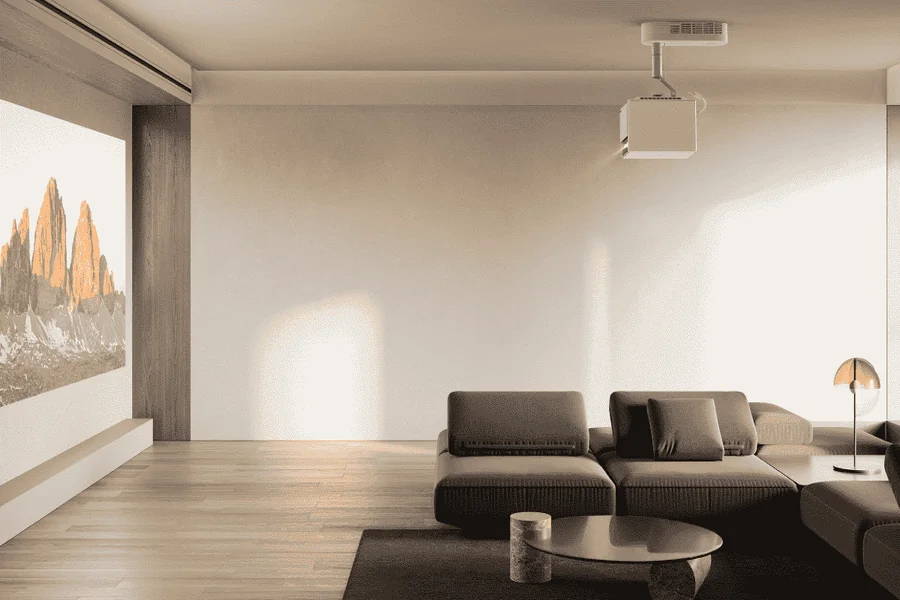
Mounting bulky home theater gear overhead on ceiling surfaces feels tricky for most homeowners. Regular TVs sit securely on cabinet tops or media stands, but ceiling installs mean drilling permanent holes in drywall, fishing wires through structural framing, and understanding basic optical layout. Even small placement errors of just a few inches will shift your projected image outside screen edges. This leads to patch work, fresh paint, and redoing the whole project from scratch. A clean, professional install relies on two key steps: figuring out accurate lens placement based on real throw measurements, and managing hidden cable runs safely.
The Math Before the Drill
Before grabbing a stud finder to start drilling, map out exactly where your projector lens needs to sit on the ceiling. Never pick a mounting spot only for visual appeal. Every optical lens carries a set throw ratio, a standard industry measurement that connects wall distance and overall screen width.
For real reference, a 1.2:1 throw ratio means 1.2 feet of clearance for every foot of picture width. If you want a large 100-inch screen, the lens needs 120 inches, or 10 full feet, of distance from the wall. When you invest in a modern 4K projector, preserving original pixel detail is essential. Mounting the unit too far back and shrinking the image via digital zoom or keystone tweaks disables native pixels and lowers your overall viewing quality. Always calculate throw distance with zero digital correction. Adjust frame edges only with the physical optical zoom dial, and cut down on unnecessary software processing.
Finding Dead Center
Once you lock in proper throw distance figures, transfer those real measurements onto your ceiling. Plain drywall cannot support heavy devices and metal mounting plates. All brackets must anchor directly into solid wooden ceiling joists for safe, stable support.
This is where most DIY installs go wrong. People often mark bracket center instead of the actual lens center. Most projector lenses sit off to one side of the chassis, not dead center. If you line up the bracket to the room’s midpoint, your lens will be misaligned and create lopsided, uneven projection.
Follow this clear workflow to mark ceiling points correctly and avoid common setup errors:
- Mark the exact horizontal midpoint of your projection screen on the wall, then use a laser level to run that center line across the ceiling.
- Measure back along this guide line to hit your calculated throw distance, then mark an X on the drywall to note your lens location.
- Use a magnetic stud finder to locate nearby ceiling joists within close range of your marked spot.
- Measure the offset between your lens center and mounting plate center on your specific device.
- Shift your bracket position along the joist by that exact offset, so the lens lines up perfectly with the screen’s center axis.
Routing the Signal
Securing your projector up top is only half the job. You still need to move high-volume visual data to the unit without lag or dropouts. Running wires for a ceiling projector is far more involved than standard floor media center wiring. Modern HDR content and 60Hz refresh rates demand full HDMI 2.1 bandwidth, handling up to 48 gigabits of data each second.
Standard copper HDMI cables lose signal strength over long spans at these high speeds. Running cheap 30-foot copper lines through attic cavities often causes connection failures before data reaches the mainboard. For all overhead wiring jobs, active optical cables (AOC) deliver better results. These cords convert electric signals into light pulses at each connector, moving large data loads across long distances with zero quality loss.
Optical fiber lines stay fragile, though. If you deal with flickering visuals, signal drops or a fully black screen after finishing wire runs, check these frequent routing mistakes:
- Directionality: Active optical cables feature a one-way design with fixed transmitter and receiver ends. Make sure the Source labeled plug connects to your AV receiver, while the Display end routes to your ceiling hardware.
- Sharp Bend Radiuses: Thin internal fiber strands crack when bent at harsh angles. Never staple cables tight to wooden framing or force rigid 90-degree bends behind wall covers.
- Electrical Interference: Keep HDMI data wires separated from high-voltage Romex power lines in attic spaces. Running unshielded video cables parallel to live electric wiring creates electromagnetic noise, triggering brief image cuts when large household appliances turn on.
- Tension at the Port: Leave generous slack at ceiling entry points. Heavy cable weight should never pull down on the projector’s delicate HDMI port. Constant strain will bend internal pins and lead to permanent hardware damage over time.
Moving projection gear off the floor and hiding exposed wires turns a basic viewing spot into a true home theater space. With careful throw distance planning, joist-mounted hardware adjusted for lens offset, and proper care for fragile high-speed cables, your system will run reliably for years. You’ll skip constant tweaks, repeated wall repairs, and ongoing hardware issues for a clean, low-maintenance theater layout.
